
Building a Lightweight RAG Pipeline (Node.js + JSONL)
Build a lightweight RAG pipeline using Node.js and JSONL. Learn how to design simple, transparent retrieval systems without vector databases or heavy infrastructure.

Retrieval-Augmented Generation RAG is often presented as a complex system involving vector databases, embeddings pipelines, and orchestration layers. While those approaches are valuable at scale, they can obscure a simpler and often more practical path.
For many projects, especially internal tools, early-stage features, or structured knowledge bases, a lightweight RAG pipeline built with Node.js and JSONL is not only sufficient but often preferable.
This article outlines a clear and practical way to design such a system, focusing on simplicity, control, and long-term flexibility.
Separating Retrieval and Generation
RAG systems are built on a simple idea. Retrieval and generation are distinct steps.
Retrieval is responsible for finding relevant information. Generation is responsible for turning that information into a useful response.
Much of the perceived complexity in RAG comes from optimizing retrieval. However, if your dataset is modest in size and reasonably structured, retrieval can be implemented with straightforward logic.
This changes the problem from infrastructure-heavy to design-focused.
Why JSONL Works Well
JSON Lines is a format where each line is a standalone JSON object. This makes it well suited for retrieval workflows.
Each record becomes an independent unit that can be searched, scored, and passed into a prompt.
A simple example looks like this:
{"id": "1", "title": "Solo Travel Safety", "content": "Always share your itinerary with someone you trust."}
{"id": "2", "title": "Packing Tips", "content": "Pack light and prioritize essentials."}
This structure avoids unnecessary overhead. It is easy to version, inspect, and modify. It also aligns naturally with how context is assembled for language models.
A Simple System Structure
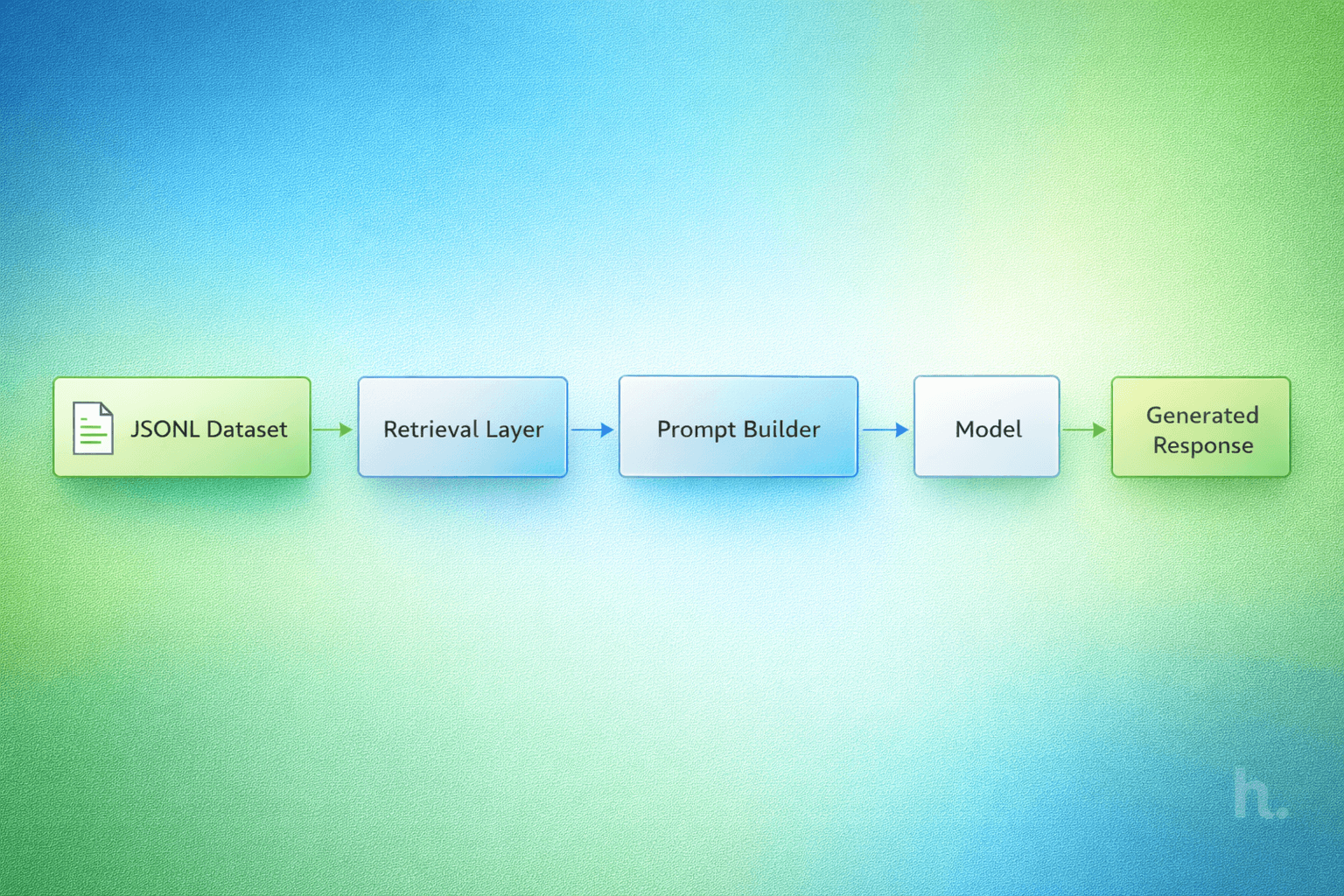
A lightweight RAG pipeline can be broken into four steps.
Load the dataset into memory. Retrieve relevant entries based on a query. Build a prompt using those entries. Generate a response using a language model.
Each step can be implemented with minimal dependencies and clear logic.
Loading the Dataset
The dataset can be read directly from disk and parsed line by line.
import fs from "fs";

function loadDataset(path) {
  const lines = fs.readFileSync(path, "utf-8").split("\n");
  return lines
    .filter(Boolean)
    .map(line => JSON.parse(line));
}
For small to moderate datasets, this approach is fast and reliable. It also keeps the system easy to reason about.
Retrieval Without Heavy Abstraction
Retrieval can begin with simple keyword scoring. While basic, this approach is often effective when the dataset is clean and consistent.
function scoreEntry(entry, query) {
  const text = (entry.title + " " + entry.content).toLowerCase();
  const terms = query.toLowerCase().split(" ");

  let score = 0;
  for (const term of terms) {
    if (text.includes(term)) score++;
  }
  return score;
}

function retrieve(dataset, query, topK = 3) {
  return dataset
    .map(entry => ({
      ...entry,
      score: scoreEntry(entry, query)
    }))
    .sort((a, b) => b.score - a.score)
    .slice(0, topK);
}
This keeps the retrieval layer transparent. You can understand exactly why a result was selected and adjust the scoring logic as needed.
Constructing a Clear Prompt
Once relevant entries are retrieved, they are assembled into a prompt.
function buildPrompt(query, results) {
  const context = results
    .map(r => `Title: ${r.title}\nContent: ${r.content}`)
    .join("\n\n");

  return `
You are given context below.

${context}

Answer the following question:
${query}
`;
}
Clarity matters more than cleverness. The model should receive only the context it needs, in a format that is easy to follow.
Generating the Response
The final step is passing the prompt to a language model.
async function generateResponse(prompt) {
  const response = await fetch("YOUR_MODEL_API", {
    method: "POST",
    body: JSON.stringify({ prompt })
  });

  const data = await response.json();
  return data.output;
}
At this stage, the quality of the output depends heavily on the quality of retrieval. Strong inputs lead to stronger outputs.
Bringing the Pipeline Together
The full pipeline can be composed in a few lines.
const dataset = loadDataset("./data.jsonl");

async function rag(query) {
  const results = retrieve(dataset, query);
  const prompt = buildPrompt(query, results);
  return await generateResponse(prompt);
}
This is a complete RAG system without external infrastructure. It is small, understandable, and easy to extend.
Where This Approach Fits
This design works best when the focus is on clarity and control.
It is well suited for internal tools, developer utilities, structured documentation, and early-stage AI features. It also aligns naturally with open source distribution, since JSONL datasets can be shared and versioned without specialized systems.
Knowing When to Evolve
As datasets grow, simple retrieval methods become less effective. At that point, more advanced techniques such as embeddings and indexing become necessary.
The advantage of starting with JSONL is that it does not limit future evolution. The same dataset can later be ingested into more advanced systems without requiring a redesign.
A Design Choice, Not a Shortcut
A lightweight RAG pipeline is not about avoiding complexity. It is about introducing complexity only when it is justified.
By starting with simple, well-understood components, you maintain control over your system and create a foundation that can evolve naturally over time.
For many projects, this approach is not just sufficient. It is the most practical and durable place to begin.


